Oxford IIIT Pets
https://
1소개
Oxford-IIIT Pet Dataset은 37개 품종의 고양이와 개 이미지로 구성된 데이터셋입니다. 각 품종마다 약 200개의 이미지가 포함되어 있으며, 총 7,349개의 이미지로 구성되어 있습니다.
1.1데이터셋 특징
이미지 수: 7,349개 (고양이 25종, 개 12종)
품종 수: 37개
어노테이션: 각 이미지에 대한 품종 레이블, 머리 영역의 바운딩 박스, 픽셀 단위 세그멘테이션 마스크 제공
2이미지 파일
from pathlib import Path

data_dir = Path('data/oxford-iiit-pet')
assert data_dir.exists() and data_dir.is_dir(), f'{data_dir} 경로가 존재하지 않습니다.'
이미지파일 = list((data_dir / 'images').glob('*.jpg'))
마스크파일 = list((data_dir / 'annotations' / 'trimaps').glob('*.png'))
이미지파일.sort()
마스크파일.sort()
print(f'파일 개수: {len(이미지파일)}')
assert len(이미지파일) == len(마스크파일), '이미지 파일과 목표 파일의 개수가 다릅니다.'
for filepath1, filepath2 in zip(이미지파일, 마스크파일):
assert filepath1.stem == filepath2.stem, f'파일이 짝이 맞지 않습니다: {filepath1}, {filepath2}'파일 개수: 7390
from PIL import Image

with Image.open(이미지파일[0]) as img, Image.open(마스크파일[0]) as mask:
    print(img.format, img.size, img.mode)
    print(mask.format, mask.size, mask.mode)

    display(img)
JPEG (600, 400) RGB
PNG (600, 400) L
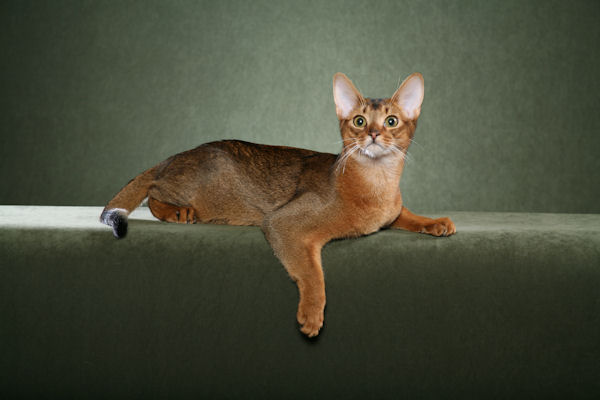
2.1이상 확인
import numpy as np
import pandas as pd

info = []
for 파일경로 in 이미지파일:
    with Image.open(파일경로) as img:
        info.append({
            '파일경로': 파일경로.name,
            '포맷': img.format,
            '크기': img.size,
            '모드': img.mode
        })

info_frame = pd.DataFrame(info)
이상필터 = np.logical_or(
    info_frame['모드'] != 'RGB',
    np.logical_not(info_frame['포맷'].isin(['JPG', 'JPEG'])))

info_frame[이상필터].sample(5)
Loading...
2.2변환
import numpy as np

transform = {}
transform['image'] = lambda sample: np.array(sample.convert('RGB').resize((200, 200)))
transform['mask'] = lambda sample: np.array(sample.resize((200, 200)))

for 파일경로1, 파일경로2 in zip(이미지파일, 마스크파일):
    with Image.open(파일경로1) as img, Image.open(파일경로2) as mask:
        img_array = transform['image'](img)
        assert img_array.shape == (200, 200, 3)
        mask_array = transform['mask'](mask)
        assert mask_array.shape == (200, 200)